
To deep clean a game console, I do not treat it like a household item that can be scrubbed hard. Dirt can hurt resale value1, but aggressive cleaning can create bigger problems: liquid damage, damaged ports, sticky buttons, or warranty disputes2. The safer solution is a controlled process: clean externally, inspect carefully, and test basic functions.
The safest way to deep clean a game console is to power it off, remove accessories, clean the shell with a dry or slightly damp microfiber cloth, use soft tools around buttons and ports, avoid liquid near openings3, and finish with a basic function check. Do not open the console unless qualified technicians or the supplier instruct you to do so.
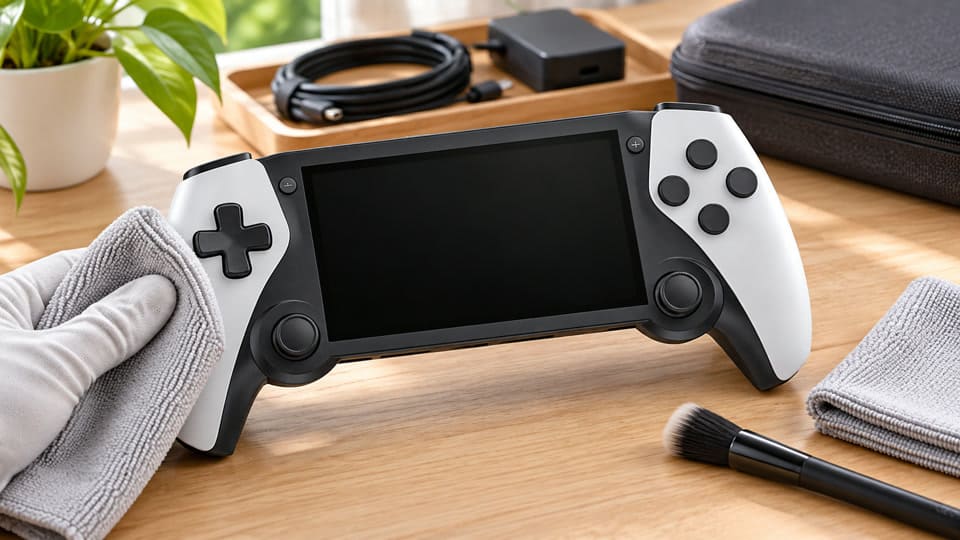
In my experience handling customer maintenance questions, returns, and resale preparation, most cleaning problems come from “over-cleaning,” not from dust itself. Below, I will explain a practical process that wholesalers, retailers, and e-commerce sellers can use to reduce complaints without taking repair-level risks.
What Does It Really Mean to Deep Clean a Game Console?
Many sellers think to deep clean a game console means opening the shell and removing every trace of dust inside. That idea sounds thorough, but it can create avoidable risk. If the unit is for resale, return handling, or display use, the goal should be safer and more commercial.
A proper deep clean for most sellers means safe external cleaning plus a basic function check. It includes cleaning the shell, buttons, joysticks, ports, vents, screen edges, and contact areas. It does not normally include opening the device, cleaning circuit boards, or handling internal cables unless a qualified technician or supplier guidance confirms it.4
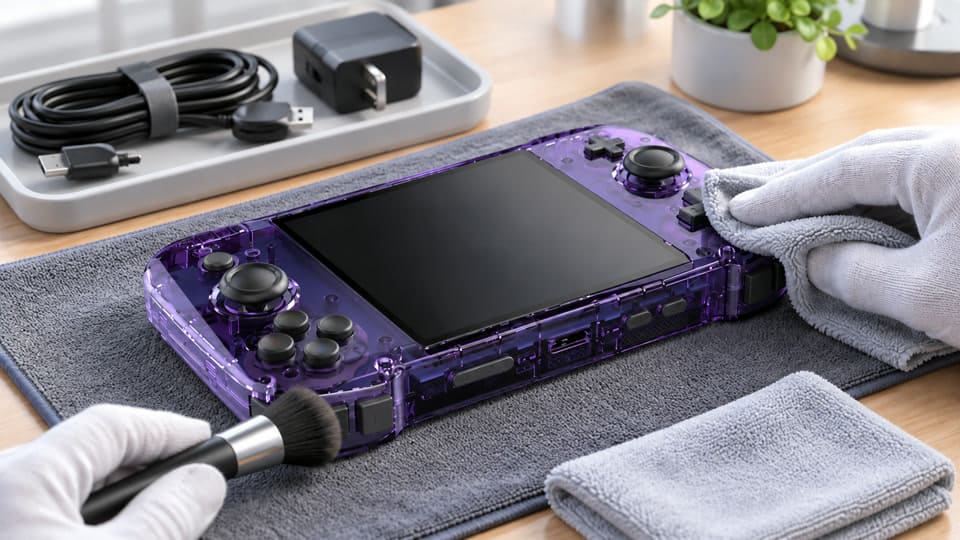
Dive Deeper: Deep Cleaning Is a Risk-Control Process
When I speak with buyers, I often explain that cleaning is not only about appearance. It is also about reducing after-sales disputes. A unit may look dusty, but it still works well. Another unit may look clean, but liquid may have entered a port and caused charging failure later. For B2B sellers, that difference matters.
I prefer to define deep cleaning in three levels:
| Cleaning Level | Typical Work | Suitable For | Risk Level |
|---|---|---|---|
| Basic wipe-down | Shell, screen, visible dust | New stock, packed inventory | Low |
| Safe deep cleaning | Buttons, joystick edges, ports area, vents, shell gaps | Returns, display units, resale stock | Low to medium |
| Repair-level cleaning | Internal boards, ribbon cables, soldered parts | Faulty units only | High |
For most importers, distributors, and online sellers, the second level is enough. It helps improve product condition without crossing into repair work.
I usually focus on the areas most connected to buyer complaints:
- Buttons and joysticks: Buyers notice sticking, rough movement, or dirt around edges.
- Charging ports: Loose debris can affect charging cable fit.
- USB, HDMI, and cartridge slots: Dirt can cause connection complaints.5
- Speaker holes and vents: Dust is visible and affects the perceived quality.
- Screen edges: Liquid can enter here if cleaning is careless.
- Shell gaps: Dirt collects here during display or handling.
In our supplier-side experience, the biggest cleaning risk is not dust. The biggest risk is using too much liquid, too much force, or the wrong tool.
For private-label brands and resellers, I suggest writing a short cleaning standard for staff. It does not need to be complicated. A one-page checklist can help warehouse teams clean returned or display consoles the same way every time.
What Tools Should I Use to Deep Clean a Game Console?
Choosing the right tools matters because one wrong cleaner or hard tool can damage the shell, screen coating, labels, or ports. I have seen sellers create problems by using strong alcohol, wet wipes with unknown chemicals, metal picks, or compressed air used too aggressively.
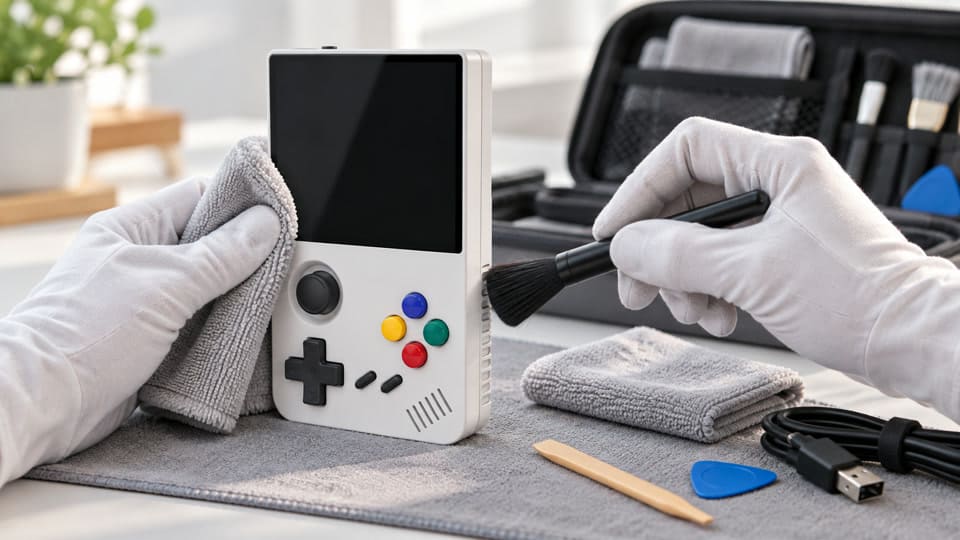
For safe console cleaning, use microfiber cloths, soft brushes, cotton swabs, wooden or plastic picks, low-moisture cleaning wipes, and a small flashlight. Avoid soaking cloths, spraying liquid directly, using strong solvents, scraping with metal tools, or forcing anything into ports. Always check the device manual or supplier guidance for material compatibility.
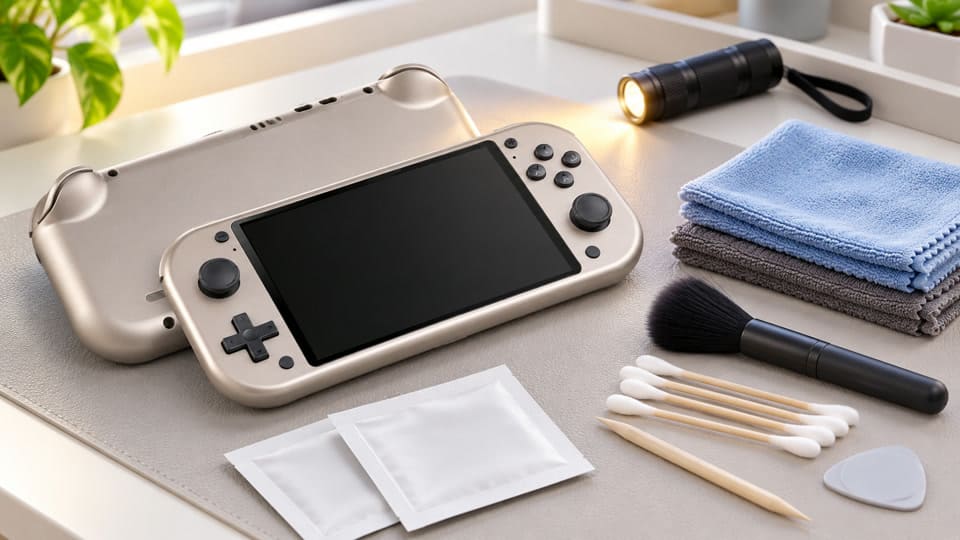
Dive Deeper: Build a Simple Cleaning Kit for Returns and Display Units
A B2B seller does not need a repair bench to clean handheld retro game consoles, HDMI game sticks, or plug-and-play TV consoles. A simple cleaning kit is usually enough. The key is control. Every tool should remove dirt without damaging plastic, buttons, screens, ports, or labels.
I recommend this basic kit:
-
Microfiber cloths
- Use one dry cloth for dust.
- Use one slightly damp cloth for the shell.
- Keep screen cloths separate from shell cloths.
-
Soft anti-static brush
- Use it around buttons, vents, speaker holes, and shell gaps.
- Do not push bristles deep into ports.
-
Cotton swabs
- Use them for joystick bases and button edges.
- Use minimal moisture if needed.
-
Plastic or wooden cleaning sticks
- Use them gently for shell seams.
- Do not use metal needles, knives, or screwdrivers.
-
Air blower
- A manual air blower is safer than high-pressure air.6
- Avoid forcing dust deeper into slots.
-
Small flashlight
- Use it to inspect ports and screen edges.
- This helps staff see lint, dust, or residue.
For cleaning liquids, I keep a conservative rule: apply liquid to the cloth, never directly to the console7. That rule is simple, and warehouse staff remember it easily.
Here is a practical comparison:
| Cleaning Item | Good Use | Main Risk | My Recommendation | ||
|---|---|---|---|---|---|
| Microfiber cloth | Shell and screen | Dirty cloth can scratch | Use clean cloths only | ||
| Cotton swab | Button edges | Too much liquid | Use almost dry | ||
| Soft brush | Dust removal | Pushing dirt inside | Brush outward gently | ||
| [ | Alcohol wipe | Some shell areas | May affect coatings or labels | Verify compatibility first | ](https://pmc.ncbi.nlm.nih.gov/articles/PMC12196949/)%%%FOOTNOTE_REF_8%%% |
| Metal tool | None for normal cleaning | Scratches, port damage | Avoid | ||
| Direct spray | None | Liquid entry | Avoid |
For wholesale teams, consistency is more important than speed. A rushed worker may clean 50 units quickly but damage 2 ports. That can erase the profit from the batch.
How Do I Deep Clean a Game Console Step by Step?
A step-by-step method helps reduce mistakes, especially when staff clean returned consoles, showroom samples, or units prepared for resale. Without a standard process, one person may clean carefully, while another may spray liquid into a charging port or press too hard around the screen.
To deep clean a game console safely, power it off, unplug all cables, remove accessories, wipe the outside, clean around buttons and joysticks, brush ports and vents gently, clean the screen edges carefully, let the unit dry fully, and then perform a basic function check before repacking or resale.
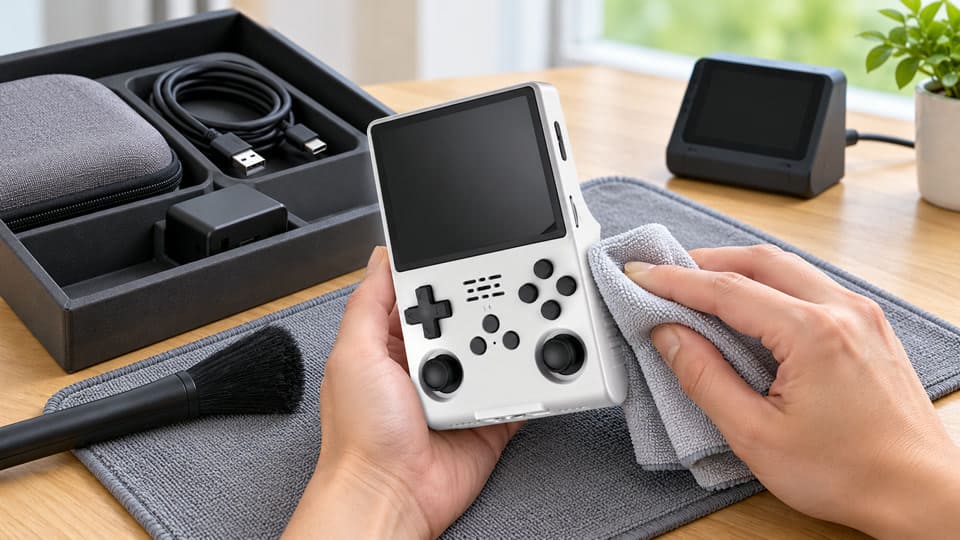
Dive Deeper: A Safe Workflow for Sellers and Warehouse Teams
I like using a fixed order because it prevents missed steps. It also makes staff training easier. If you sell retro handheld consoles, TV game sticks, or plug-and-play gaming devices, this process can fit most external cleaning needs.
Step 1: Prepare the Console
Before cleaning, I always start with safety and documentation.
- Power off the unit.
- Unplug charging cables, HDMI cables, USB devices, and controllers.
- Remove memory cards or cartridges if applicable.
- Check for cracks, loose ports, swollen batteries, or screen damage.
- Take photos if the item is a customer return.
Photos are useful for return handling. They show the condition before cleaning and help reduce disputes.
Step 2: Dry Dust First
Use a dry microfiber cloth and a soft brush. Remove loose dust before using any moisture. If you wipe wet over dust, you may create streaks or push dirt into seams.
Focus on:
- Screen surface
- Back shell
- D-pad and buttons
- Joystick bases
- Speaker holes
- Cooling vents
- USB, charging, and HDMI areas
Step 3: Clean the Shell
Use a microfiber cloth that is slightly damp, not wet. Wipe the shell gently. Do not spray cleaner directly onto the console. Avoid labels, printed logos, rubber grips, and screen edges unless the supplier confirms the cleaner is safe.
For OEM/ODM or private-label products, this matters even more. Some logos, coatings, or packaging labels may react differently to cleaning agents.
Step 4: Clean Buttons and Joysticks
Buttons and joysticks cause many customer complaints. Dirt around the edges can make a unit feel poorly maintained, even if the function is normal.
Use:
- A soft brush around the button edge
- A nearly dry cotton swab around joystick bases
- Light circular movement
- No strong pressure
Do not pour liquid around sticky buttons. A sticky button may be caused by dirt, but it may also involve internal wear, assembly issues, or liquid residue. If external cleaning does not help, treat it as a service issue, not a cleaning job.
Step 5: Clean Ports and Interfaces Carefully
This is where many sellers create damage. Charging ports, HDMI ports, USB ports, and cartridge slots are delicate. I suggest cleaning around them, not aggressively inside them.
Safe actions include:
- Use a flashlight to inspect.
- Brush the outside edge gently.
- Use a manual air blower lightly.
- Do not insert metal tools.
- Do not use wet swabs inside ports.
If a port looks bent, corroded, loose, or burned, stop cleaning. That unit needs qualified evaluation.
Step 6: Dry and Test
Let the console sit before testing, especially if any slightly damp cloth was used. Then check basic functions:
| Function Check | What to Confirm |
|---|---|
| Power on/off | Unit starts normally |
| Charging | Cable fits and charging indicator works |
| Buttons | No obvious sticking or non-response |
| Joystick/D-pad | Basic movement works |
| Screen | No new streaks, moisture, or display issue |
| Speaker | Sound output is normal |
| HDMI/USB | Connection works if applicable |
This final step is important for B2B sellers. Cleaning should end with a function confirmation, not just a visual check.
What Mistakes Should I Avoid When I Deep Clean a Game Console?
Most cleaning-related failures happen because someone tries to be too thorough. I have heard buyers describe units that stopped charging after cleaning, buttons that became worse, or screens that developed marks after liquid entered the edge. These problems are usually preventable.
Avoid direct spraying, soaking cloths, using strong chemicals, scraping with metal tools, opening the console without authorization, forcing brushes into ports, and cleaning while powered on9. If the issue appears internal, stop and contact the supplier or a qualified technician instead of turning cleaning into repair work.
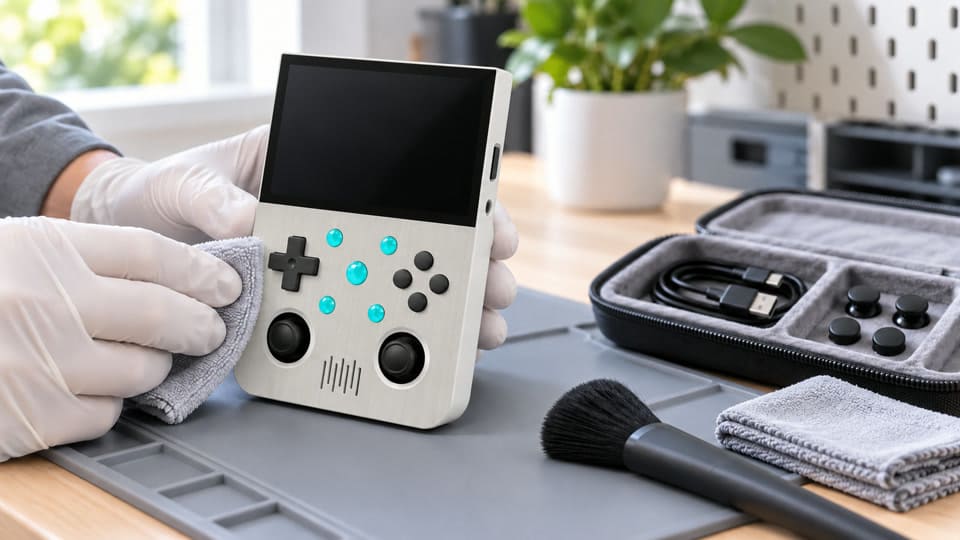
Dive Deeper: The Hidden Cost of Unsafe Cleaning
For B2B sellers, one damaged unit is not just one damaged unit. It can become a refund, a bad review, a platform dispute, or a warranty argument. That is why I treat cleaning as a controlled business process.
Here are the most common mistakes I try to prevent.
Mistake 1: Spraying Cleaner Directly
Direct spray can enter:
- Charging ports
- Speaker holes
- Screen edges
- Button gaps
- Joystick openings
- Shell seams
Even a small amount of liquid can create delayed problems. A unit may power on after cleaning, then fail later.10
Mistake 2: Opening the Console Without Clear Guidance
Opening a console can damage clips, screws, seals, ribbon cables, battery connectors, and internal boards. It can also affect warranty handling. I do not recommend opening devices unless trained technicians or supplier instructions support it.
This is especially important for sellers handling multiple models. A retro handheld console, HDMI TV stick, and home game console may have very different internal structures.
Mistake 3: Using Strong Chemicals
Some cleaners can affect plastic texture, printed logos, screen coatings, rubber pads, or painted surfaces. Even if the cleaner works on one model, it may not be safe for another.
Before bulk cleaning a batch, test carefully on a non-visible area or ask the supplier for guidance.
Mistake 4: Treating Faults as Dirt
Cleaning may improve appearance. It may remove dust around controls. But it should not be presented as a repair solution.
If a unit has these symptoms, I suggest stopping and escalating:
- Charging failure
- No power
- Screen flicker
- Loose USB or HDMI port
- Burning smell
- Liquid marks
- Severe button non-response
- Battery swelling11
These are not normal cleaning issues. They need technical evaluation.
Mistake 5: No Post-Cleaning Record
For returned units, I recommend keeping a basic record:
| Record Item | Why It Helps |
|---|---|
| Return condition photo | Shows original state |
| Cleaning date | Tracks handling |
| Staff name | Improves accountability |
| Function test result | Reduces resale risk |
| Notes on defects | Helps after-sales communication |
A simple record protects both the seller and the customer. It also helps suppliers like us understand whether a problem came from production, shipping, customer use, or handling after return.
Frequently Asked Questions
Can I use alcohol to deep clean a game console?
You can use alcohol only if the device material, screen coating, labels, and supplier guidance allow it. I suggest avoiding strong alcohol on screens, printed logos, and rubber parts. If needed, apply a small amount to a cloth, never directly to the console.
Should I open a console to remove internal dust?
I do not recommend opening a console for normal cleaning. Internal cleaning is repair-level work. It can damage clips, cables, ports, or boards. If internal dust or liquid damage is suspected, contact the supplier or use a qualified technician.
How should sellers clean returned game consoles before resale?
Sellers should document the return condition, clean the exterior, inspect buttons and ports, avoid liquid near openings, and run a basic function test. If the unit shows charging, screen, battery, or port problems, it should not be resold without technical evaluation.
Can cleaning fix sticky buttons or joystick problems?
Cleaning around the button or joystick edge may help if surface dirt is the cause. However, sticky controls can also come from wear, liquid residue, internal damage, or assembly issues. If gentle external cleaning does not help, treat it as an after-sales or repair case.
How often should display game consoles be cleaned?
Display units should be wiped regularly because many people touch them. I suggest light daily wiping for high-traffic retail displays and safer deep cleaning on a scheduled basis. Staff should avoid wet cleaning during operating hours and test the unit after cleaning.
Conclusion
To deep clean a game console safely, I focus on control, not force. For B2B sellers, the best process is safe external cleaning, careful inspection, and basic function testing before resale or repacking. Avoid liquid near ports, random disassembly, strong chemicals, and aggressive tools. If you source retro handheld consoles, TV game sticks, or private-label gaming devices, contact KLF to discuss product handling, quality checks, packaging, and supplier guidance for your market.
"Settling secondhand sales: Pricing symbolic items in an ... - PMC", https://pmc.ncbi.nlm.nih.gov/articles/PMC11890435/. Research on secondary-market pricing reports that observable product condition is associated with resale value; this supports the relevance of dirt as a resale factor only when dirt is treated as part of visible condition. Evidence role: general_support; source type: paper. Supports: Visible product condition is associated with resale price in secondhand markets.. Scope note: Contextual support; the source may address used goods or electronics generally rather than game consoles specifically. ↩
"Businessperson's Guide to Federal Warranty Law", https://www.ftc.gov/business-guidance/resources/businesspersons-guide-federal-warranty-law. Consumer-protection and electronics-care guidance indicates that user-caused damage, including moisture exposure or mechanical damage, can affect repair responsibility and warranty outcomes; this supports the risk framing but does not quantify how often console cleaning causes such disputes. Evidence role: general_support; source type: government. Supports: Improper handling, liquid exposure, and user-caused damage can affect device function and warranty handling.. Scope note: Contextual support; warranty rules vary by jurisdiction, warranty terms, and cause of damage. ↩
"Cleaning and Disinfection for Households | CDC", https://stacks.cdc.gov/view/cdc/90453/cdc_90453_DS1.pdf. Public guidance on cleaning electronic devices emphasizes following manufacturer instructions and preventing moisture from entering equipment; this supports the low-moisture external-cleaning procedure, although it is not a console-specific protocol. Evidence role: general_support; source type: government. Supports: General electronics-cleaning guidance favors manufacturer instructions, minimal moisture, and avoiding liquid entry into electronic devices.. Scope note: Contextual support; the source may discuss electronics broadly rather than game consoles. ↩
"JSC-66552BASELINE.pdf", https://standards.nasa.gov/sites/default/files/standards/JSC/Baseline/0/JSC-66552BASELINE.pdf. Electronics-handling guidance on electrostatic discharge and internal assembly work explains that circuit boards and connectors require controlled handling; this supports treating internal console cleaning as repair-level work rather than routine cleaning. Evidence role: mechanism; source type: institution. Supports: Internal electronic assemblies can be damaged by improper handling, electrostatic discharge, or connector/cable disturbance.. Scope note: Contextual support; the guidance applies to electronic assemblies generally and may not address a specific console model. ↩
"Analysing the Pressure Effect on the Contact Resistance of ...", https://upcommons.upc.edu/bitstreams/a8d772bb-2e41-40a8-81db-beb191c9467d/download. Electrical-contact reliability literature shows that contamination can increase contact resistance and contribute to intermittent connections; this supports the general mechanism behind USB, HDMI, and cartridge-slot complaints. Evidence role: mechanism; source type: paper. Supports: Contamination on electrical contacts can increase contact resistance or cause intermittent connections.. Scope note: Contextual support; it does not establish that dirt is the primary cause of connection complaints for any particular console model. ↩
"Moisture", https://en.wikipedia.org/wiki/Moisture. Electronics-maintenance guidance describes risks from high-pressure or compressed air, including driving contaminants into assemblies or introducing moisture; this supports the preference for gentler manual airflow, although not as a console-specific comparative test. Evidence role: general_support; source type: institution. Supports: High-pressure air can create risks such as forcing debris or moisture into equipment, while gentler air flow reduces mechanical stress.. Scope note: Contextual support; the evidence is based on general electronics-cleaning practice rather than controlled testing on game consoles. ↩
"Sanitizing Your Technology - Student Affairs", https://dsait.tamu.edu/news/2020/05/05/sanitizing-your-technology/. Institutional electronics-cleaning guidance commonly instructs users to apply cleaner to a cloth rather than directly to the device, supporting this handling rule as a liquid-ingress precaution. Evidence role: general_support; source type: education. Supports: Electronics-cleaning guidance commonly instructs users to dampen a cloth instead of spraying liquid directly onto devices.. Scope note: Contextual support; many such sources address computers, phones, or peripherals rather than game consoles specifically. ↩
"Investigation of the Effect of Exposure to Liquid Chemicals on ...", https://pmc.ncbi.nlm.nih.gov/articles/PMC12196949/. Materials research on solvent compatibility reports that alcohol exposure can affect some plastics, coatings, inks, or adhesives; this supports checking compatibility before using alcohol wipes on console surfaces. Evidence role: mechanism; source type: paper. Supports: Alcohols and other solvents can affect certain plastics, coatings, inks, or adhesives depending on material composition and exposure.. Scope note: Contextual support; actual effects depend on the console’s specific materials, coating chemistry, concentration, and contact time. ↩
"1910.147 - The control of hazardous energy (lockout/tagout).", http://www.osha.gov/laws-regs/regulations/standardnumber/1910/1910.147. Electrical-safety guidance for maintenance emphasizes de-energizing equipment before work is performed; this supports avoiding powered-on cleaning, although console cleaning is a lower-voltage consumer-electronics context. Evidence role: general_support; source type: government. Supports: Electrical-safety guidance favors de-energizing equipment before maintenance or cleaning to reduce shock, short-circuit, or equipment-damage risks.. Scope note: Contextual support; occupational electrical-safety guidance is broader than handheld or home-console cleaning. ↩
"The corrosion mechanism of printed circuit boards affected by ...", https://pmc.ncbi.nlm.nih.gov/articles/PMC12376827/. Research on moisture-induced corrosion and electrochemical migration in electronic assemblies shows that liquid contamination can produce delayed failures after initial operation appears normal. Evidence role: mechanism; source type: paper. Supports: Moisture and ionic contamination can lead to corrosion or electrochemical migration that produces delayed electronic failures.. ↩
"Learn more about lithium-ion batteries fires and what you can ...", https://www.cpsc.gov/node/63681. Government consumer-safety guidance treats swollen lithium-ion batteries as a potential failure and safety hazard, supporting the article’s instruction to escalate rather than treat swelling as a cleaning matter. Evidence role: general_support; source type: government. Supports: Swollen lithium-ion batteries can indicate battery failure and safety risk, warranting removal from normal use and professional handling.. ↩